
AI Safety Checklist for Physicians: 12 Rules by Level of AI Use
This post may contain links from our sponsors. We provide you with accurate, reliable information. Learn more about how we make money and select our advertising partners.
Last updated: November 20, 2026.
The safest way to use AI depends on how much you let it do.
The short answer: Match your safety habits to your level of AI use. Level 1 is chatting. Level 2 is connecting AI to your files and apps. Level 3 is letting AI act for you. Level 4 is building AI into a practice or business. The more access AI has, the more rules apply, and every rule from a lower level still counts.
This is an update of an earlier checklist. The original rules still hold. What changed is that AI now does far more than answer questions, so the checklist grows with how you use it. Find your level, follow its rules, and add more before you move up.
Disclaimer: While these are general suggestions, it’s important to conduct thorough research and due diligence when selecting AI tools. We do not endorse or promote any specific AI tools mentioned here. This article is for educational and informational purposes only. It is not intended to provide legal, financial, or clinical advice. Always comply with HIPAA and institutional policies. For any decisions that impact patient care or finances, consult a qualified professional.

Level 1: Chatting
You type a question and read the answer. This covers drafting, summarizing, and brainstorming.
1. Check anything that matters
AI can sound sure and still be wrong. It also tends to agree with you. A Science study from March 2026 found AI affirmed people’s actions 49% more often than other people did. Ask it to argue the other side, then check key facts against a trusted source. Trust, but verify.
2. Keep private details out
Leave out patient information, passwords, and account numbers. Many free and personal plans are not covered by a HIPAA business associate agreement (BAA), a signed contract that sets privacy rules for patient information. If you are unsure, leave it out.
3. Check settings before you share
Look at the history and training settings, and decide what you are comfortable with. Be careful with share links. In 2025, Forbes reported that more than 370,000 shared chatbot conversations ended up in search results.
Level 2: Connected tools
AI can see your email, calendar, documents, or notes through a link to another app.
4. Connect only what the task needs
If AI only needs to read your calendar, do not let it send invites. Many tools offer “read-only” access, so start there.
5. Keep keys and passwords out of chats
A key is a long code that lets one app use another. Store keys in a password manager, not in a chat. Set spending alerts on any AI account too. The FBI’s latest advisory lists unusual AI billing as one thing to check after a suspected break-in.
6. Remove old connections
In November, Barracuda said attackers got into some of its cloud accounts using a key given to an outside vendor for a past project. The company said it never retired the key when the work ended. Review your connected apps every few months and remove what you no longer use.
Level 3: Agents
AI takes actions for you. It might send emails, book, buy, post, or keep working in the background.
7. Make it ask before it acts
Start with drafts. Turn on approval for sending, buying, deleting, and posting. Meta’s guide for its agent advises starting with low-risk tasks and checking what it does, and warns that it can make mistakes or take unexpected actions.
8. Give it its own limited account
Do not hand an agent your main inbox, bank login, or admin password. A separate account with limited access keeps a mistake small.
9. Review what it did
Read the activity log every week. Turn off connections and routines you no longer use. An approval controls what the agent is about to do. It does not undo what it already did.
Level 4: Running AI in a practice or business
Staff, vendors, and tools use AI on your behalf.
10. Ask vendors plain questions
Will you sign a BAA? Is our data used to train your models? Who can see it? What happens to it if we leave? Then read the contract. The AMA says it will push for laws that stop vendor contracts from shifting AI liability to physicians. That is a goal, not current law.
11. Write a short rule for staff
Say which tools are allowed, what can go in, and who approves new ones. Staff will use AI with or without a rule, so a written one helps.
12. Plan for a break-in
The FBI warned on November 13 that attackers are using AI hacking tools against many sectors, including healthcare, and some break-ins reached administrator access in under three hours. Know who to call, keep your logs, and report problems to the FBI at ic3.gov.
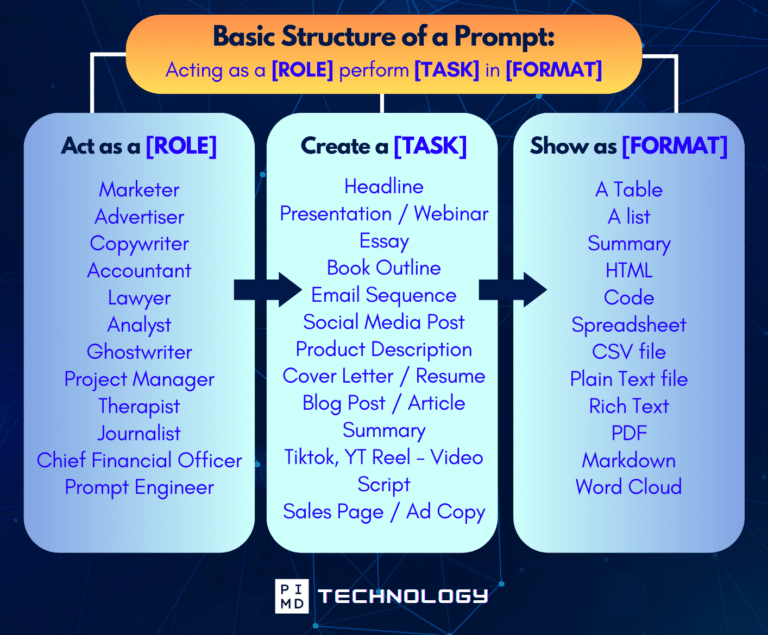
Unlock the Full Power of ChatGPT With This Copy-and-Paste Prompt Formula!
Download the Complete ChatGPT Cheat Sheet! Your go-to guide to writing better, faster prompts in seconds. Whether you’re crafting emails, social posts, or presentations, just follow the formula to get results instantly.
Save time. Get clarity. Create smarter.
Rules for every level
Be skeptical of surprise voice, video, or image requests, since AI can fake all three. Confirm through a second channel before you act. Pick tools that clearly explain how they use your data, and keep learning, because these tools change fast.
The bottom line
Safety is not about avoiding AI. It is about matching your habits to what AI is allowed to touch. Start at the level you use today, follow its rules, and add more before you move up.
What do you think? Are you already practicing some of these? Let us know in the comments!
This article summarizes public reports and does not constitute security, legal, or compliance advice. Consult your IT and compliance professionals about your own systems.
Download The Physician’s Starter Guide to AI – a free, easy-to-digest resource that walks you through smart ways to integrate tools like ChatGPT into your professional and personal life. Whether you’re AI-curious or already experimenting, this guide will save you time, stress, and maybe even a little sanity.
Want more tips to sharpen your AI skills? Subscribe to our newsletter for exclusive insights and practical advice. You’ll also get access to our free AI resource page, packed with AI tools and tutorials to help you have more in life outside of medicine. Let’s make life easier, one prompt at a time. Make it happen!
Disclaimer: This article is for general informational and educational purposes only. It does not constitute medical, legal, compliance, or professional advice. The information provided here is based on available public data and may not be entirely accurate or up-to-date. It’s recommended to contact the respective companies/individuals for detailed information on features, pricing, and availability. All screenshots, if any, are used under the principles of fair use for editorial, educational, or commentary purposes. All trademarks and copyrights belong to their respective owners.
If you want more content like this, make sure you subscribe to our newsletter to get updates on the latest trends for AI, tech, and so much more.
Further Reading
Disclaimer: The topic presented in this article is provided as general information and for educational purposes. It is not a substitute for professional advice. Accordingly, before taking action, consult with your team of professionals.